
Student Dashboards
The UCSF School of Medicine (SOM) iROCKET Student Dashboard and Bridges Student Dashboard provide streamlined, secure online tools to access performance information from assessments during medical school, to support students in their journey to graduation and in their professional development.
Bridges Student Dashboard
The UCSF School of Medicine (SOM) Bridges Student Dashboard provides secure online tool for use by students in participating in the Bridges Curriculum to access performance information from assessments during medical school, to support students in their journey to graduation and in their professional development.
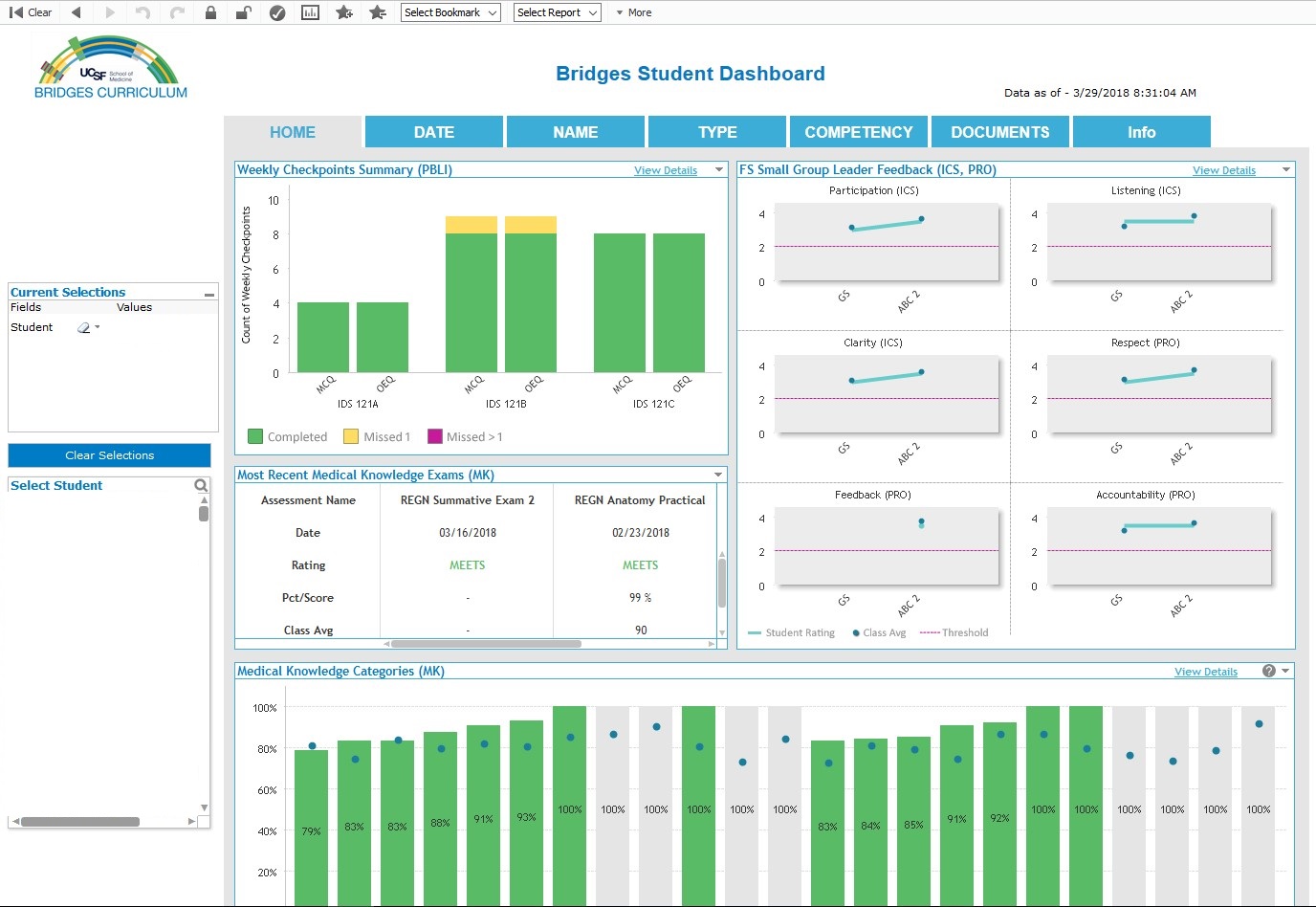
The School of Medicine curriculum provides a set of educational experiences designed to support students’ mastery of the core knowledge, skills, and attitudes needed to achieve their goals as physicians, researchers, teachers, and public servants. Throughout the curriculum, medical students’ achievement of these competencies is assessed through a variety of methods that constitute a program of assessment. The Bridges Dashboard is an interactive tool designed to allow students to track their progress within each of these competencies throughout medical school. View the MD Competencies measured via the Bridges Student Dashboard.
Additional Information
Bridges Student Dashboard Login (UCSF Bridges Students only)
iRocket Dashboard
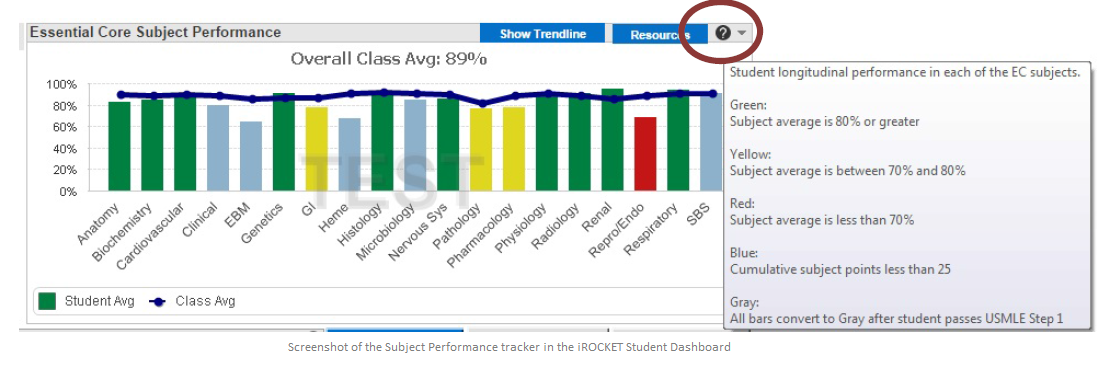
The UCSF School of Medicine (SOM) iROCKET Student Dashboard provides a secure online tool for use by students participating in the Essential Core Curriculum to access performance information from assessments during medical school, to support students in their journey to graduation and in their professional development.
Available Competencies
Medical Knowledge
The Medical Knowledge dashboard displays information about student performance on medical knowledge assessments across the curriculum. This integrated view of these data will allow students to gauge their relative strengths and weaknesses in medical knowledge areas, and, as necessary, develop a plan for improvement.
- Essential Core Exams
- Essential Core Medical Knowledge Categories/Subject Performance
- Core Clerkship Medical Knowledge ratings from summary evaluations
- Core Clerkship examination scores
- MCAT, USMLE Step 1 and 2 scores
Professionalism
The Professionalism dashboard displays information about student professional behavior across the curriculum. This information can be used to identify professionalism strengths and concerns. The purpose of this dashboard is to summarize professionalism information from:
- Essential Core/FPC Attendance
- FPC Preceptorship Professionalism and Attendance
- Core Clerkship Professionalism ratings from summary evaluations
- CPX clinical performance exam
Practice-Based Learning & Improvement
This competency is currently only available to MS3s who completed the MiniCPX Learning Goals exercises.
Additional Information
iROCKET Dashboard Login (Essential Core Students only)
Important Tips
- Coaches and students use their SF ID/MyAccessID to login to the dashboards
- In order to connect to the dashboard, you must be on the WPA wireless network, or on a wired campus network.
- If you are not on campus, or on the UCSF Guest wireless network, then you first need to connect using Pulse Secure. To install Pulse Secure, visit: https://software.ucsf.edu/content/vpn-virtual-private-network
- For help with access to the iROCKET or Bridges Student Dashboard, contact the iROCKET Help Desk at [email protected]
- For questions about content, please contact Polo Black Golde, Karen Hauer, MD, or your Coach
- For help with MyAccess or other access issues, please contact IT Tech Support at 415-514-4100